


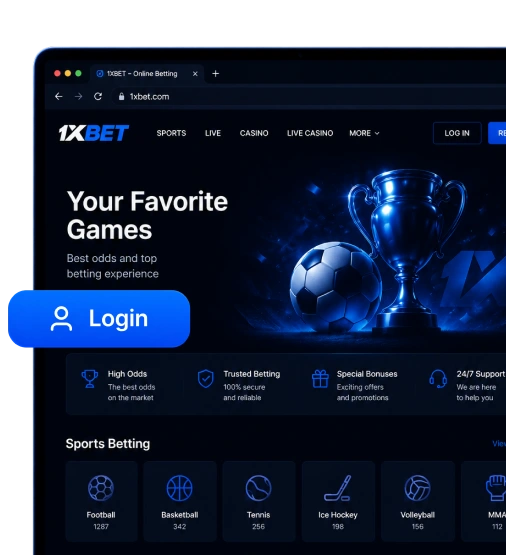
1xBet Desktop Access Options
There are different ways to access the platform on your computer: the 1xWin App, the desktop site, and, recently, the 1xBet Access App.
| PC Access Method | What You Get | Best For |
|---|---|---|
| 1xWin App | Faster pre-match and live betting, stable access despite possible geo restrictions, multiple payment methods, and app-style navigation. | Users who often bet from a desktop or laptop setup. |
| Desktop site | The same core sections as the app, including Sports, Live, TOTO, and TV Games, with no download required. | Bettors who want instant access without installing any software. |
| 1xBet App | A working mirror-style access route that helps users reach the current official platform when the main domain is unavailable. | Players who travel frequently or want a backup access method for their account. |
The method table reveals the current options: registering or signing in, placing bets, playing casino games, and using other features through the homepage of the official platform.
Get started today by going to the official website or downloading the PC app.
1xBet Windows Access or Browser Use
You can access the platform instantly by entering the verified URL in the web browser’s search bar. There’s no need to install software. In addition, users enjoy full access to pre-match & in-play betting. You also get HD streaming for select events, RNG and live casino, secure deposits and withdrawals, responsible gaming tools, and account management.
The site is fully compatible with any web browser, including Chrome and Edge, so bettors are not restricted in how they get there. But the best part is that it’s localized for Mongolians with payments, bonuses, and other rewards in MNT and funding options such as TDB and Khaan Bank.
Here’s what you can do with the 1xBet browser use:
- Desktop browser login or sign up: The player can get started using any of several options, including phone, email, social networks & messengers, and one-click. They can also sign in within seconds via email/user ID or phone and password.
- Sports betting: Bettors can wager on 40+ sports and esports, including football, tennis, basketball, cricket, boxing, Dota 2, League of Legends, FIFA, etc. The line section offers hundreds of daily events to bet on and win money.
- Play thousands of RNG and live casino games: You can play your favorite games across categories such as slots, fast, table, virtual, and live dealer options.
- Claim bonuses: Once you sign up on the site and make a qualifying deposit through any of the available payments, the system rewards you with up to 410,000 MNT for sports or up to 5,600,000 MNT + 150 FS for casino across the first 4 deposits.
The next section will cover how to sign in to the platform on a PC.
How to Log in on Desktop?
For the 1xBet desktop login to be successful, you must already have a registered account. Assuming the user is signed up, they can simply visit the website and tap the login button to enter their credentials and get in.
The official Mongolia login page is designed for desktop browsers and uses SSL encryption to protect the users’ account access.
Please follow the steps below for PC sign-in:
Use a secure browser (Chrome, Edge, Firefox, etc.).
Enter the URL for the verified Mongolia website and wait for the page to load.
Click ‘login’ at the top right corner.
Select whether you want to use email/user ID or mobile number, and type your credentials correctly (it should be the email or phone number you registered with).
Click the button below the form to log in to Windows.
That should take you to the dashboard, but sometimes, bettors don’t remember the passcodes they created. Here’s how to fix that:
On the login page, click ‘forgot your password?’.
Choose whether you want to recover the account via phone or email.
If you select the former, enter the registered line and click ‘send via SMS’ to get an OTP.
If you select the latter, enter the correct email and click ‘send’ to receive the password reset link.
Use the code or link to create a new passcode, then confirm it in the next box.
Go back to the browser login tab and gain entry with the newly created password.
Sign on now to make a deposit and claim a massive bonus.
1xBet Account Sync between App and Desktop
Your app and desktop account are the same. So when you sign in on the PC and the app, your profile syncs automatically across both platforms. When that happens, the balance, bets, betting history, and bonuses update in real time across them. It’s the same user ID/email address or phone number + password one needs for the software and the web browser.
This is how it works: the system saves the account data on its secure servers. So, anytime you sign in on the PC or desktop site, it simply pulls your profile and everything that comes with it from the server, even down to the transaction history.
However, some things that can interrupt the sync include:
- Poor or unstable internet connection: The software or site requires reliable connectivity to retrieve up-to-date data from the server.
- Being logged into different accounts: Using multiple accounts requires separate login credentials, which makes it difficult to sync.
- Server downtime: If maintenance is underway, the server may be unable to update data across devices or platforms temporarily.
- Cached browser data: It can show outdated information. So, resolve this by clearing the cache.
Security Tips for PC Access
1xBet PC security is excellent, thanks to certain built-in features such as SSL 256-bit encryption and account monitoring to detect unusual behavior. However, users have to play their part by implementing some tips.
- Don’t share your password or username with anyone; always keep them private.
- Avoid using shared computers or devices (e.g., in a cybercafé or library). If that’s not possible, at least exercise some public computer caution by signing out immediately when finished.
- Create strong, unique passwords that combine letters (uppercase & lowercase), numbers, and symbols, so they’re very difficult to hack. Avoid simple ones like your birth date or name.
- Don’t reuse the passcode on another platform for secure desktop login.
- Activate two-factor authentication on your PC if it’s available for extra security.
- Stick to private networks and avoid public WiFi if you can.
- Regularly update the computer and antivirus software to prevent phishing and protect your account on your PC.
1xBet Mobile App vs Desktop
The mobile application is the better option if you prefer to bet or play games on the go, want faster access, or receive push notifications when you’re not on the app. It’s also ideal if you’re more comfortable with a phone’s interface and touch-oriented navigation.
The desktop vs. mobile table below compares the two platforms side by side, highlighting their differences and similarities.
| Feature | PC App | Mobile App |
|---|---|---|
| Portability | Users are usually limited to a desktop or laptop setup. | Users can bet anywhere because phones and tablets are easy to carry. |
| Speed | Fast performance, but it may use more data depending on the connection and content loaded. | Optimized for quick access and lower data usage. |
| Notifications | Push alerts are usually not available. | Can send regular updates, match alerts, and account notifications to the device. |
| Touch controls | Navigation is usually done with a mouse and keyboard unless the screen supports touch input. | Supports tap and swipe controls. |
| Screen size | Larger screen for viewing more markets, odds, and match details. | Smaller screen with a simplified mobile view. |
| Best use | Better for detailed match analysis, comparing markets, and placing multiple bets. | Better for quick live bets, checking odds, and following bet results on the go. |
| Battery use | Minimal impact when used on a plugged-in desktop or laptop. | Low to moderate battery use, depending on session length and live features. |
1xBet Desktop FAQs
It’s recommended because it uses less data, isn’t subject to regional restrictions, and loads much faster than a web browser.
No, the desktop application is specifically for Windows. MacOS doesn’t have a dedicated app, so you must stick to the website if your computer uses that.
Go to the official website > scroll down till you see applications > click ‘other apps’ > select 1xBet Win App > click ‘download’ > follow the on-screen prompts to install it on the PC.
Yes, you can use the exact credentials because the account syncs across platforms. Simply launch the software on your computer, tap the login button, and enter the details.
Yes, it features a cashier system where the balance can be in MNT. It also supports the same deposit and withdrawal methods available on the mobile application or website, including local banks, cryptocurrencies, and e-wallets.
The software has an automated update checker that scans for more recent versions every time you open it. Once a newer one is available, it will notify you and ask for permission to download and install it.